Black Friday in 20 days: will your customers be able to pay? 25% off the first year and free setup, until 30 NovemberSee the offer →

Web agencies

Client site monitoring tool for web agencies

Centralize client site monitoring: Ping, certificates, browser journeys. Screenshot alerts. EU-hosted.
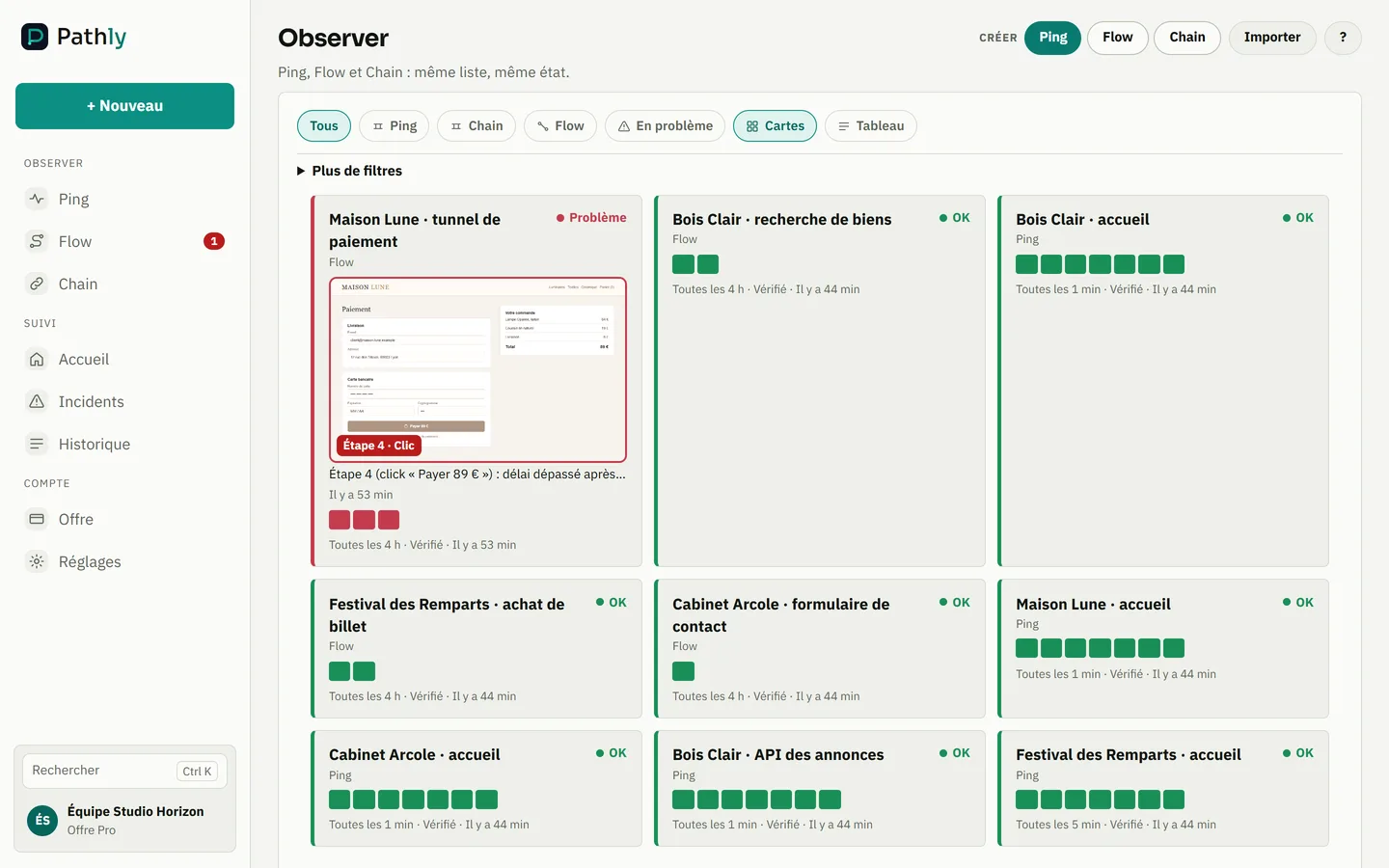
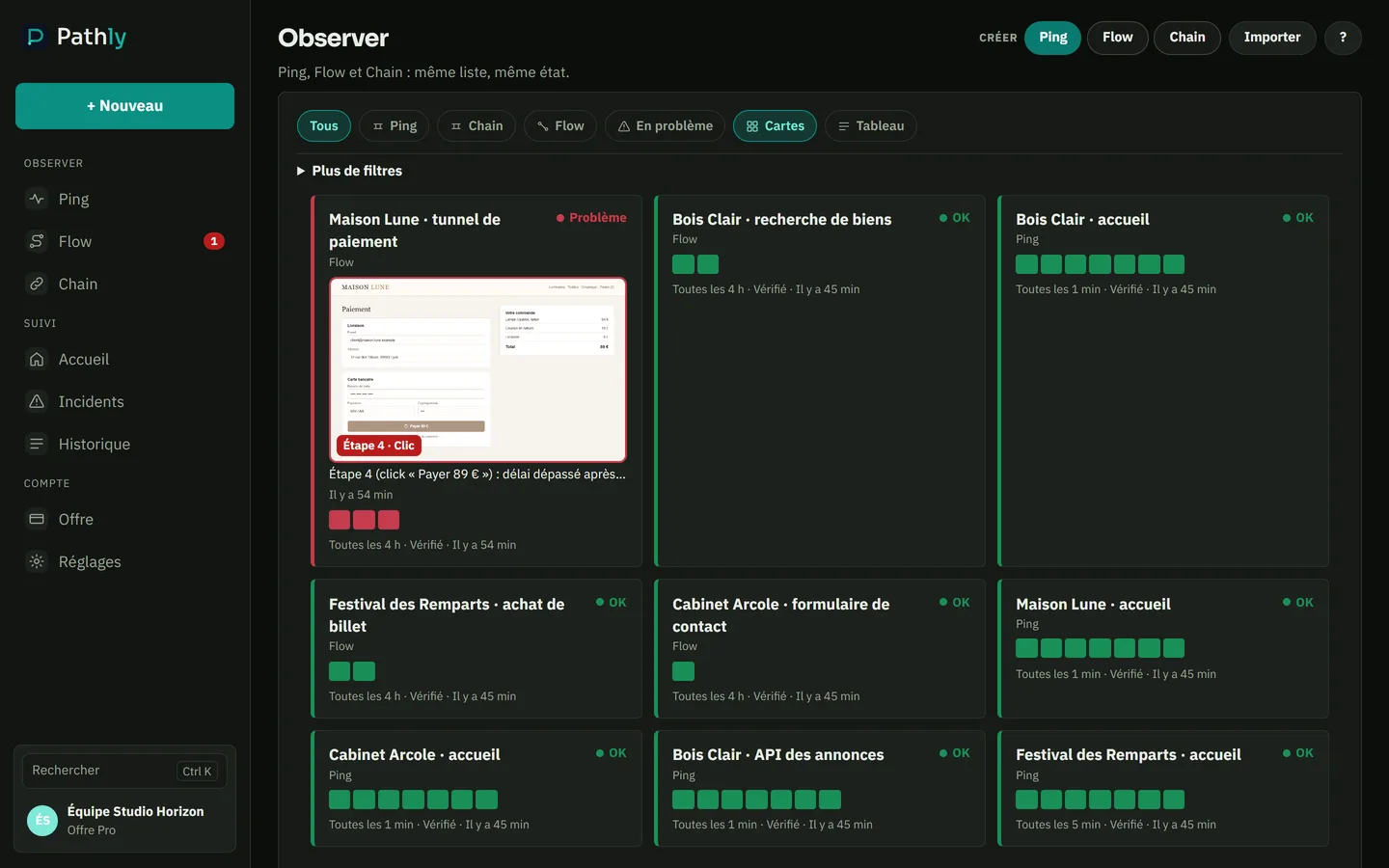
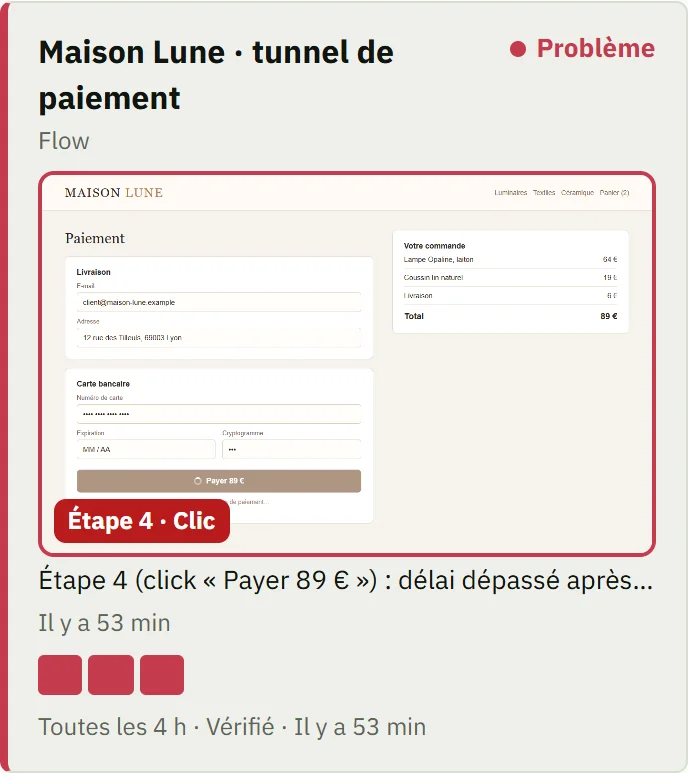
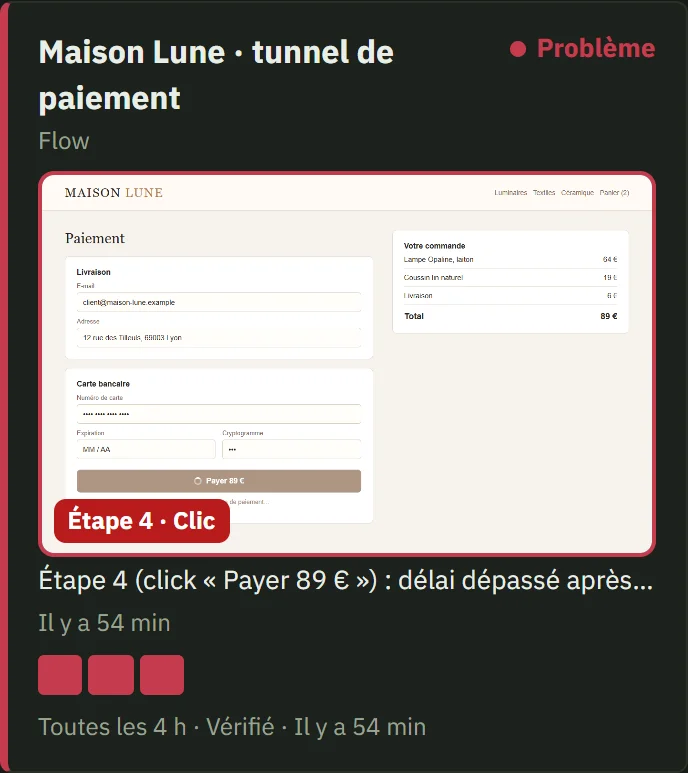
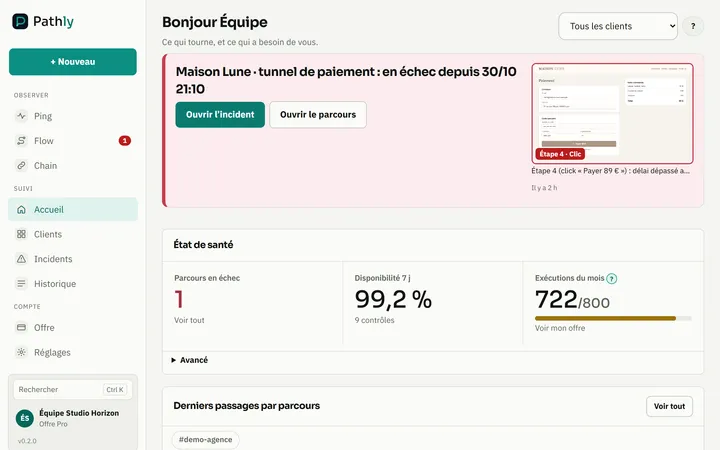
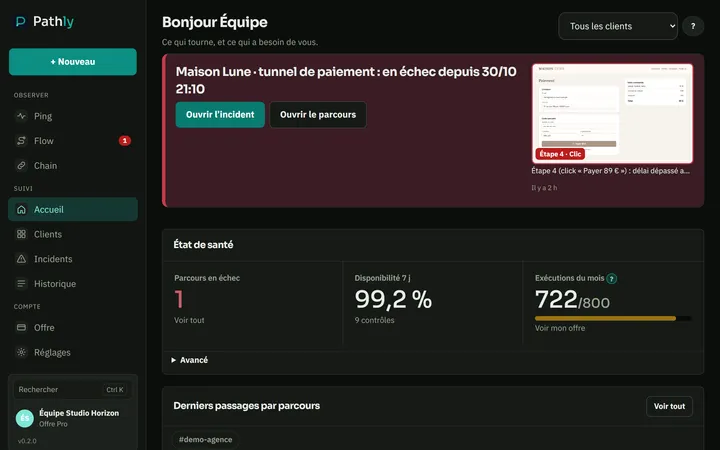
Pathly: an agency’s client sites, one journey failingPathly: an agency’s client sites, one journey failing
  1. A client’s checkout is red, with its screenshot.
  2. The homepage Ping stays green: the server responds.
  3. A filter to see only the problems.

Screenshot of the Pathly app, with demo data.

Why agencies need more than uptime

Clients see 'site online' on UptimeRobot. They don't see the contact form returning 500, cert expiring in 8 days, or the Shopify checkout that no longer loads the payment module.
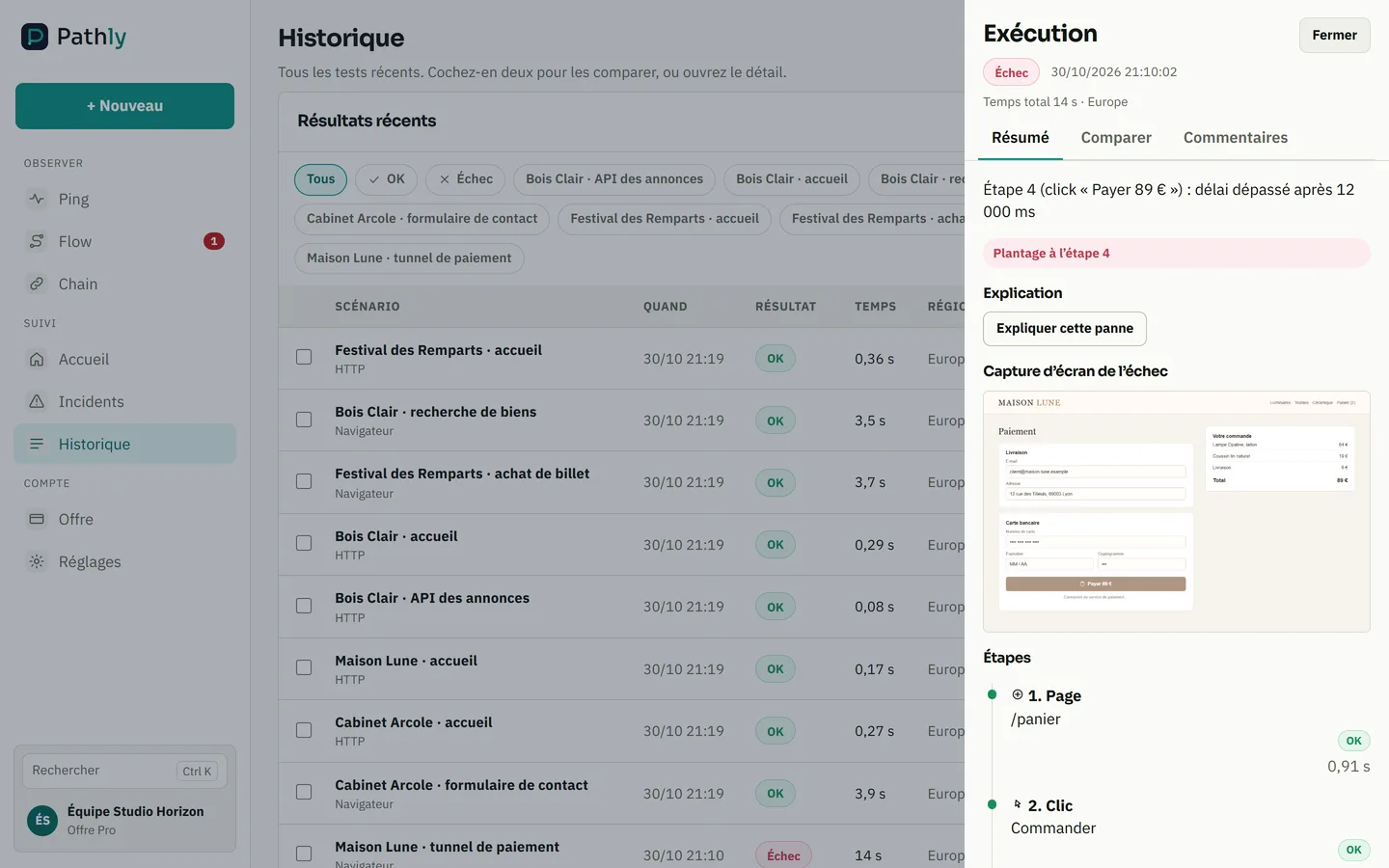
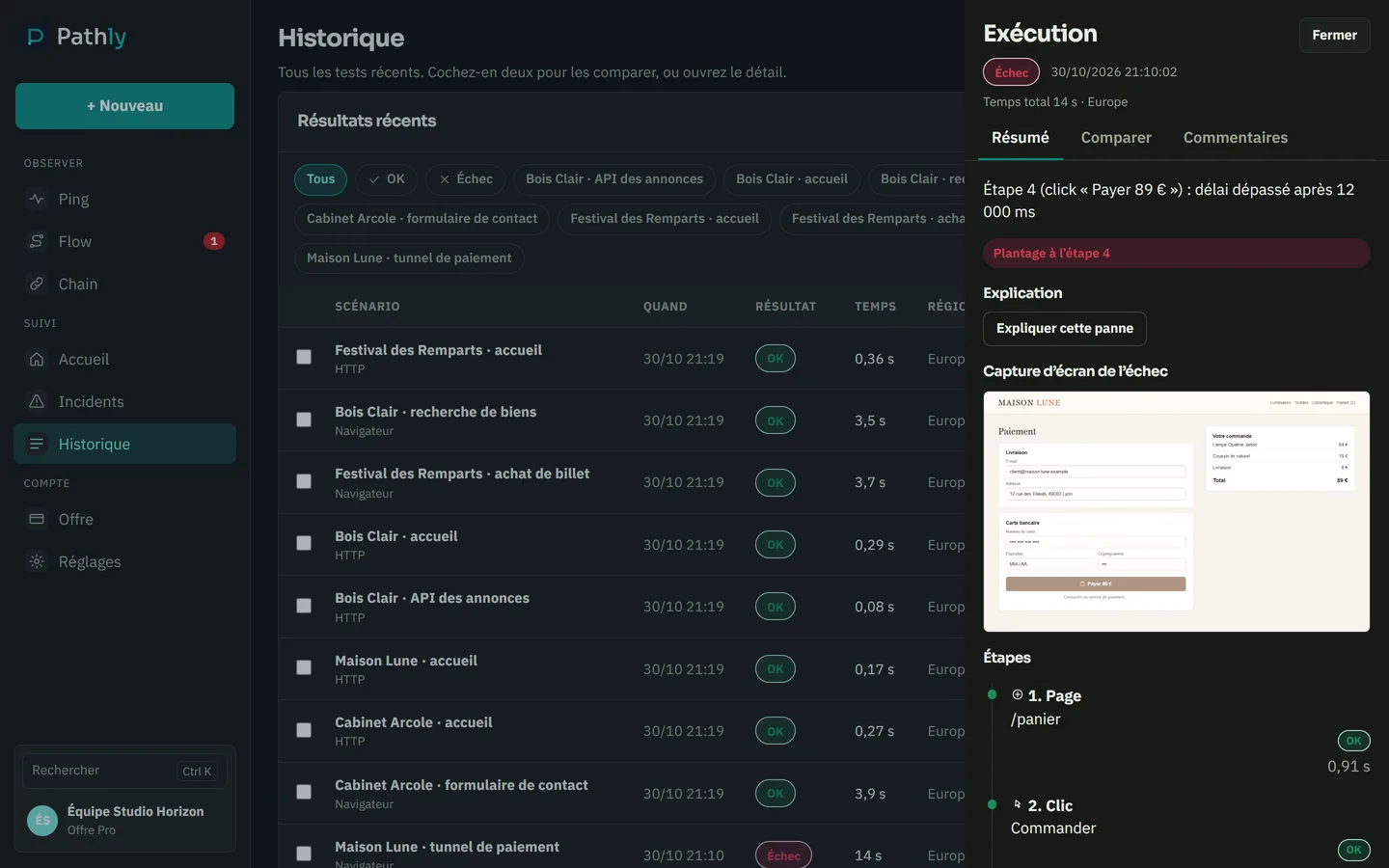
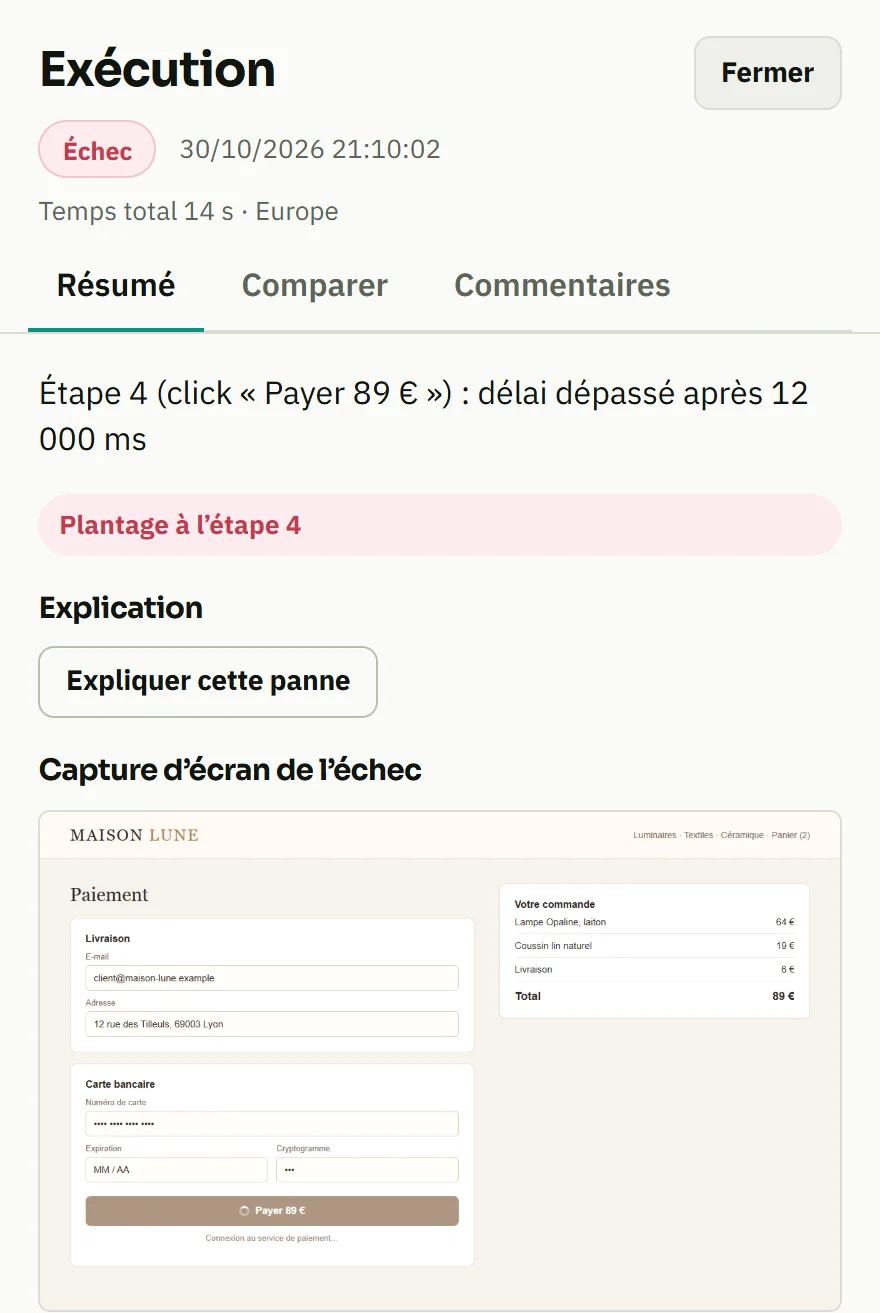
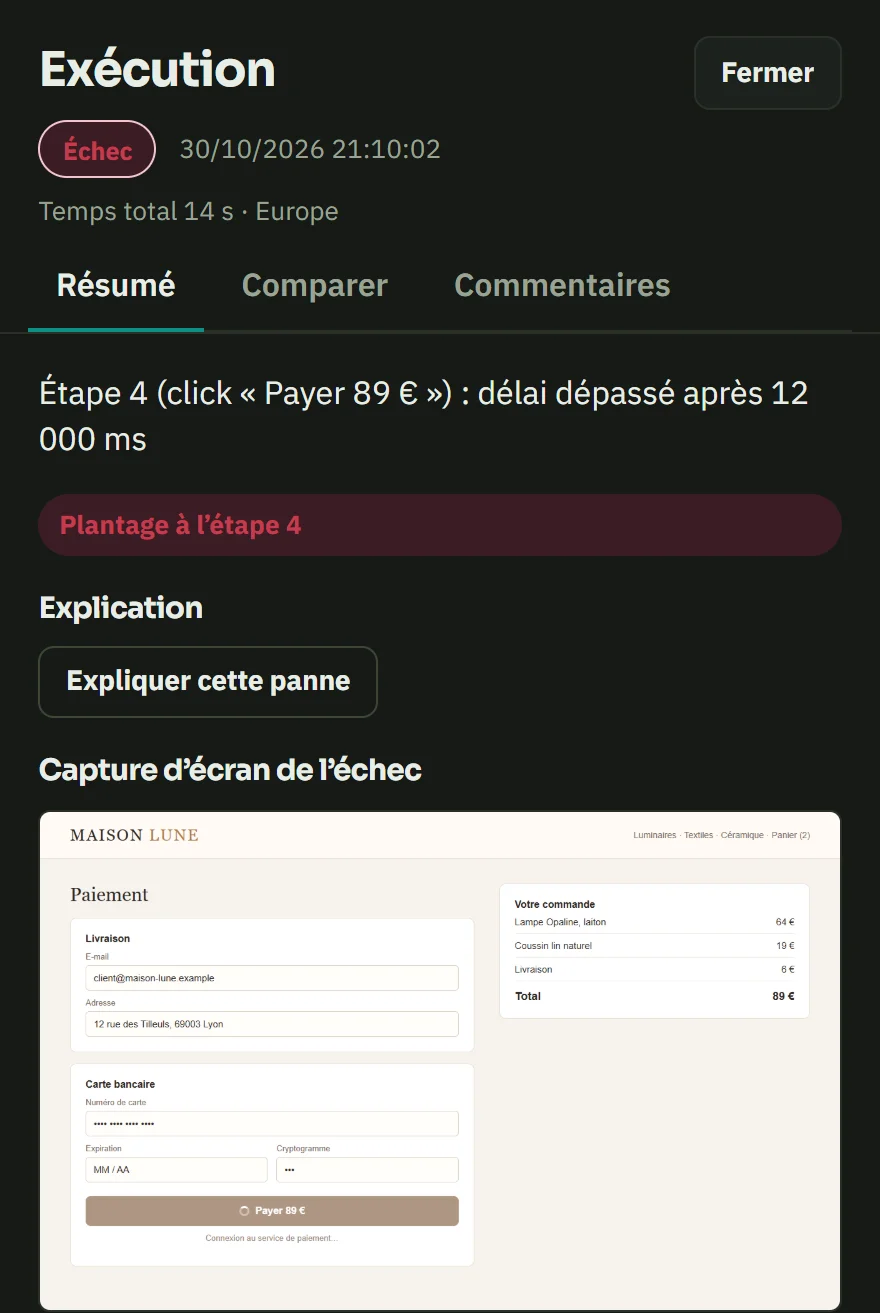
Pathly: a failed Flow, with the screenshot of the broken step and its stepsPathly: a failed Flow, with the screenshot of the broken step and its steps
  1. The broken step, in plain words: the click on “Pay” goes nowhere.
  2. The screenshot, as the visitor saw the page.
  3. The journey’s steps, green up to the one that breaks.

Screenshot of the Pathly app, with demo data.

Pathly for agencies

Pro is the agency plan: your clients’ sites, their Flow journeys and Slack, Teams or webhook alerts. Business serves large agencies: reports under your brand and unlimited members. Light reseller model. Start with a free audit of your clients’ sites.

Pathly product screenshot

Monthly report

Show your clients the work done every month

One PDF report a month, ready to attach to the maintenance invoice. It is built from the checks already in place, with nothing to type.
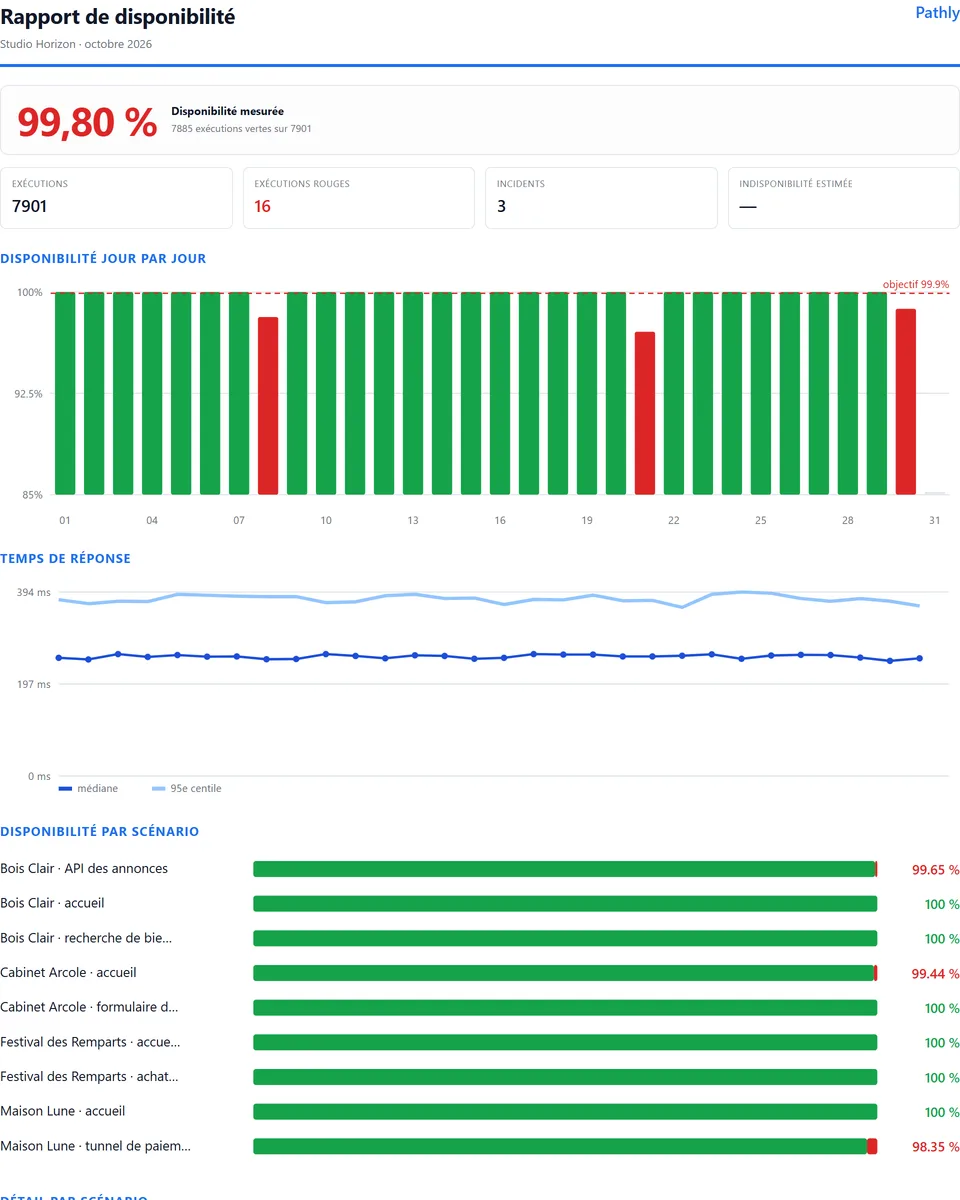
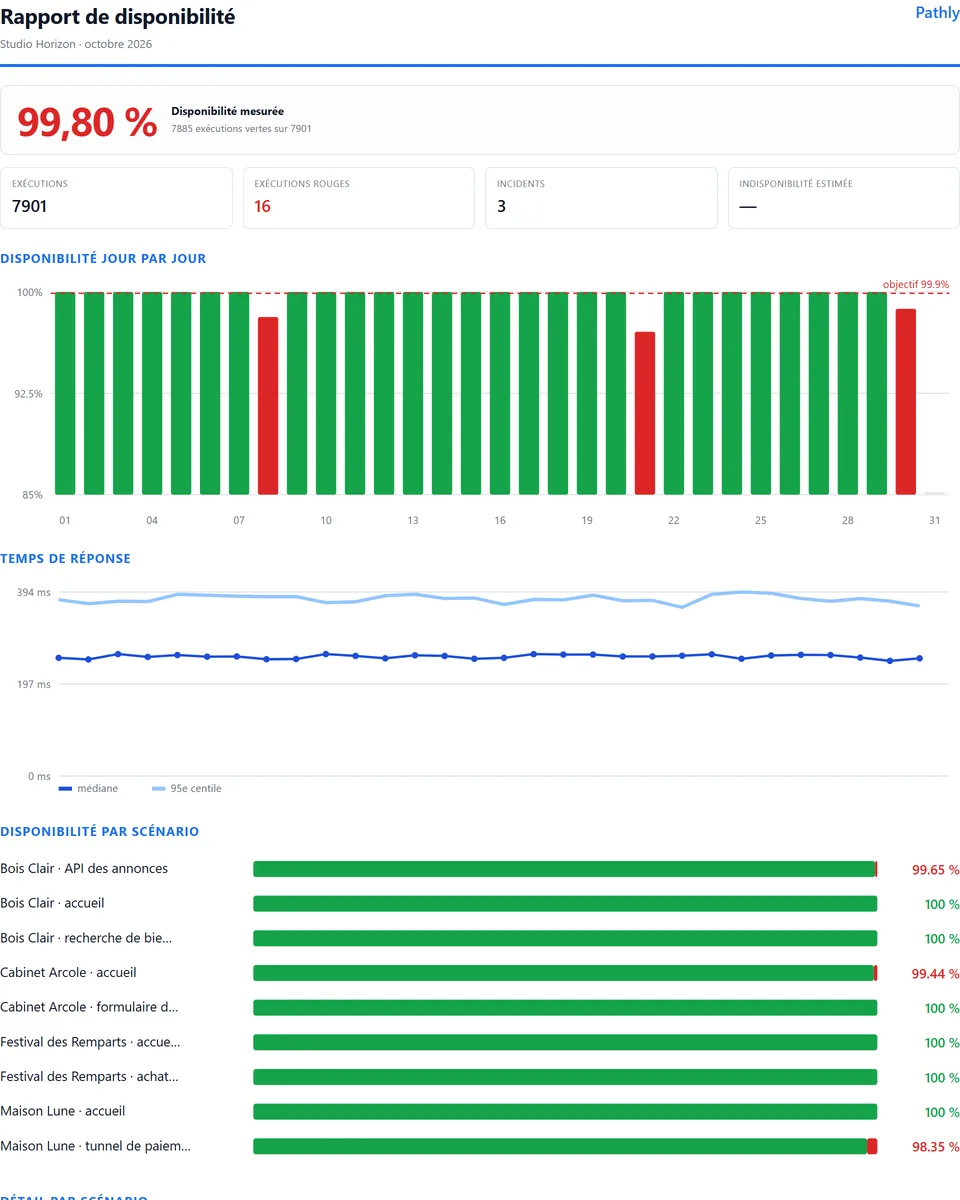
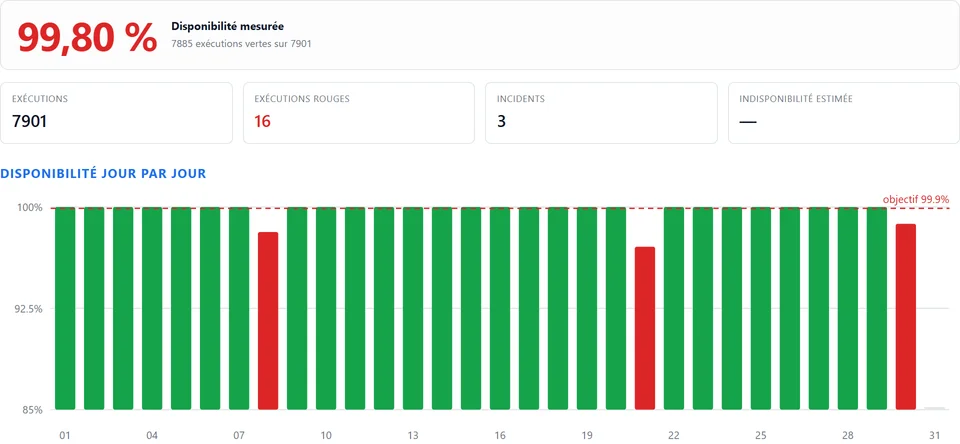
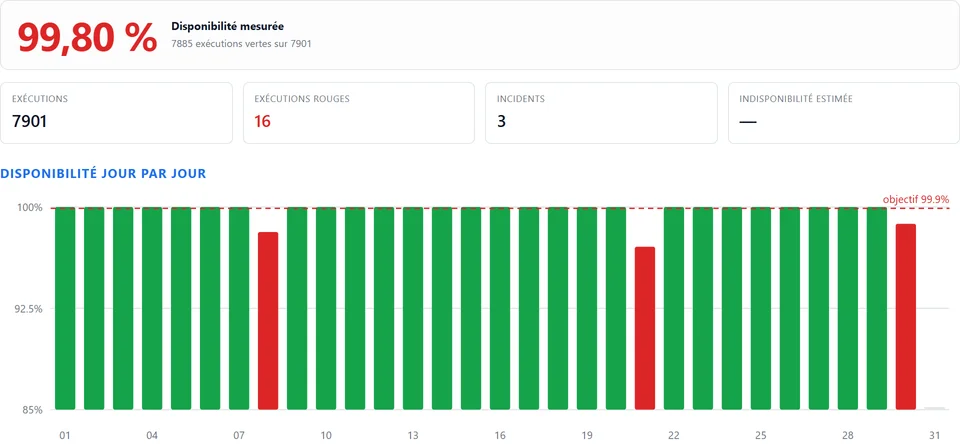
Monthly availability report of a demo agencyMonthly availability report of a demo agency
  1. The measured availability of the month.
  2. Runs, failures and incidents of the month.
  3. Availability day by day, against the target.

Screenshot of the Pathly app, with demo data.

What it contains

  • the measured availability of the month and the number of runs
  • availability day by day, against the target
  • response times and the availability of each site
  • the month’s incidents and how they were measured

Included in every plan, with Pathly branding. On Business, it carries your agency’s brand. Pro remains the plan we recommend for agencies.

See a sample report (PDF)

CMS modules

Pathly installs where your sites live

Free Pathly modules for WordPress, PrestaShop, Joomla, Drupal and Magento. Install the module and paste your Pathly API key: the Ping of the site is created, and its status shows in your admin.

See the modules

The demo · 90 seconds

The Ping is green. The Flow is red.

Real Pathly screens, on a demo agency. The site answers, but checkout is broken. Here is what Pathly shows you, and the alert you receive.

Guided tour, no account needed

See the app before you sign up

Five real screens from a demo agency: the dashboard, the alert, the red Flow, the report and the client portal.

Take the guided tour →

Move from UptimeRobot in 1 click

Paste your UptimeRobot account API key. Pathly brings over your HTTP and keyword monitors as Ping, with their name and interval.

  • You see the list before importing.
  • The key is only used for this read. It is not stored.
  • Then add a Flow on the journey that matters: cart, form, login.

Import my UptimeRobot monitors

The report you send your client

Every month, one PDF per client: measured uptime, incidents, response times and how they are calculated. Ready to attach to your maintenance invoice.

  • Your logo and colours on the Business plan.
  • Only that client’s sites appear in it.

See a sample report (PDF)

Sample with fictitious data.

Billing: answers for agencies

Who sells you the subscription?
Pathly is a service of Elerine, established in Spain. Payment is made online with Mollie.
Are prices excluding VAT?
Yes. Prices shown exclude VAT. VAT depends on your country and your status.
My agency has an EU VAT number. What happens?
Enter it in your billing details, on the Plan screen. Pathly checks it with VIES, the European Commission’s service. Once the number is verified, no VAT is added: you self-account for it in your country (reverse charge). This applies to a business established in the EU, outside Spain.
What if Pathly is not right for me?
Cancel within 14 days of your first plan payment. The plan and the add-ons paid during those 14 days are refunded in full, automatically. You go back to Solo and keep your data. Once per organization. Run packs are not covered.

WP Umbrella, ManageWP, MainWP

Keep your maintenance tool. Add the journey.

Your maintenance tool runs updates and backups, and checks that the site responds. Pathly does not replace it. It checks something else: can a visitor get through the cart, the form or the login?

01

What your tool keeps doing

Updates, backups, WordPress security and the maintenance report. The way you work does not change.

02

What Pathly adds

A Flow replays the journey in real Chrome. If a step breaks, you get its screenshot before the client calls you.

03

Nothing to install on the client’s site

Pathly checks the site from the outside, like a visitor. No plugin to add, whatever the CMS.

Try Flow on a client site

Product proof

What you show the client

01

The alert, before your store opens

Alert screenshot: failed step, time, store. You get it before the site opens.

02

The invoice attachment

First page of the monthly PDF report, to attach to the maintenance invoice. Included in every plan, under your brand on Business.

03

Nothing to install on the client site

No admin access, no plugin, no FTP. You record the checkout as a visitor. Data in the European Union. One measurement origin.

Before you pay: your questions

Am I tied in?
No. You pay monthly or yearly, with no minimum term. You cancel in one click, from the Plan tab in the app.
Where are my data and my clients’ data?
In the European Union. The app, the API, the runs and the screenshots are hosted on Google Cloud in Belgium (europe-west1). The list of subprocessors is in the DPA.
How many client sites can I monitor?
A site needs at least one Ping. Freelance includes 25, Pro 50 and Business 200. For journeys, Freelance has 1 Flow. Pro and Business have no limit on the number of Flows, within 800 or 2,400 runs per month.
Will my clients see Pathly?
On Business, the monthly report you send carries your logo and colours. On Solo, Freelance and Pro, it carries the Pathly brand.
How long does it take to get started?
Paste a site’s address to create its first Ping. Lumi recognises WooCommerce, Shopify, PrestaShop, Magento, WordPress, Joomla and Drupal and prepares a Flow in under two minutes. Coming from UptimeRobot? Your monitors import in one click.

Check before you pay

Everything can be seen without an account or a card.

Try on a client site

Free audit, no account.

Run audit

Agency use case

A question? Support replies within 1 business day.