Black Friday in 20 days: will your customers be able to pay? 25% off the first year and free setup, until 30 NovemberSee the offer →

Web agencies

WP Umbrella or ManageWP? Add real journey checks

Your maintenance tool keeps WordPress updated and checks that the site responds. Pathly checks that a visitor can finish the quote form or checkout.

What each tool checks
What each tool checksWP UmbrellaManageWPMainWPOh DearPathly
The site responds (uptime)Yes : continuousYes : add-on, every 60 sPartly : via UptimeRobot, NodePing…Yes : yesYes : Ping
WordPress updates and backupsYes : yesYes : yesYes : yesNot stated on its page : not statedNo : not its job: keep your tool
Journey tested in a real browser (quote, cart, login)Not stated on its page : not statedNot stated on its page : not statedNot stated on its page : not statedNot stated on its page : not statedYes : Flow, with screenshot
Client reportYes : white labelYes : yesYes : yesYes : monthly, with your logoYes : monthly PDF, your brand on Business
Sites coveredWordPressWordPressWordPress, self-hostednot statedany public site, no plugin
Entry price€1.99/site/monthfree, add-ons from $1/monthfree, Pro $29/month$17/month for 2 sitesFree Solo plan, no card

The site responds (uptime)

Pathly
Yes : Ping
WP Umbrella
Yes : continuous
ManageWP
Yes : add-on, every 60 s
MainWP
Partly : via UptimeRobot, NodePing…
Oh Dear
Yes : yes

WordPress updates and backups

Pathly
No : not its job: keep your tool
WP Umbrella
Yes : yes
ManageWP
Yes : yes
MainWP
Yes : yes
Oh Dear
Not stated on its page : not stated

Journey tested in a real browser (quote, cart, login)

Pathly
Yes : Flow, with screenshot
WP Umbrella
Not stated on its page : not stated
ManageWP
Not stated on its page : not stated
MainWP
Not stated on its page : not stated
Oh Dear
Not stated on its page : not stated

Client report

Pathly
Yes : monthly PDF, your brand on Business
WP Umbrella
Yes : white label
ManageWP
Yes : yes
MainWP
Yes : yes
Oh Dear
Yes : monthly, with your logo

Sites covered

Pathly
any public site, no plugin
WP Umbrella
WordPress
ManageWP
WordPress
MainWP
WordPress, self-hosted
Oh Dear
not stated

Entry price

Pathly
Free Solo plan, no card
WP Umbrella
€1.99/site/month
ManageWP
free, add-ons from $1/month
MainWP
free, Pro $29/month
Oh Dear
$17/month for 2 sites

Tools' public pages read on 10/30/2026. wp-umbrella.com/pricing · managewp.com/pricing · managewp.com/features/uptime-monitor · mainwp.com/mainwp-pricing · ohdear.app/pricing
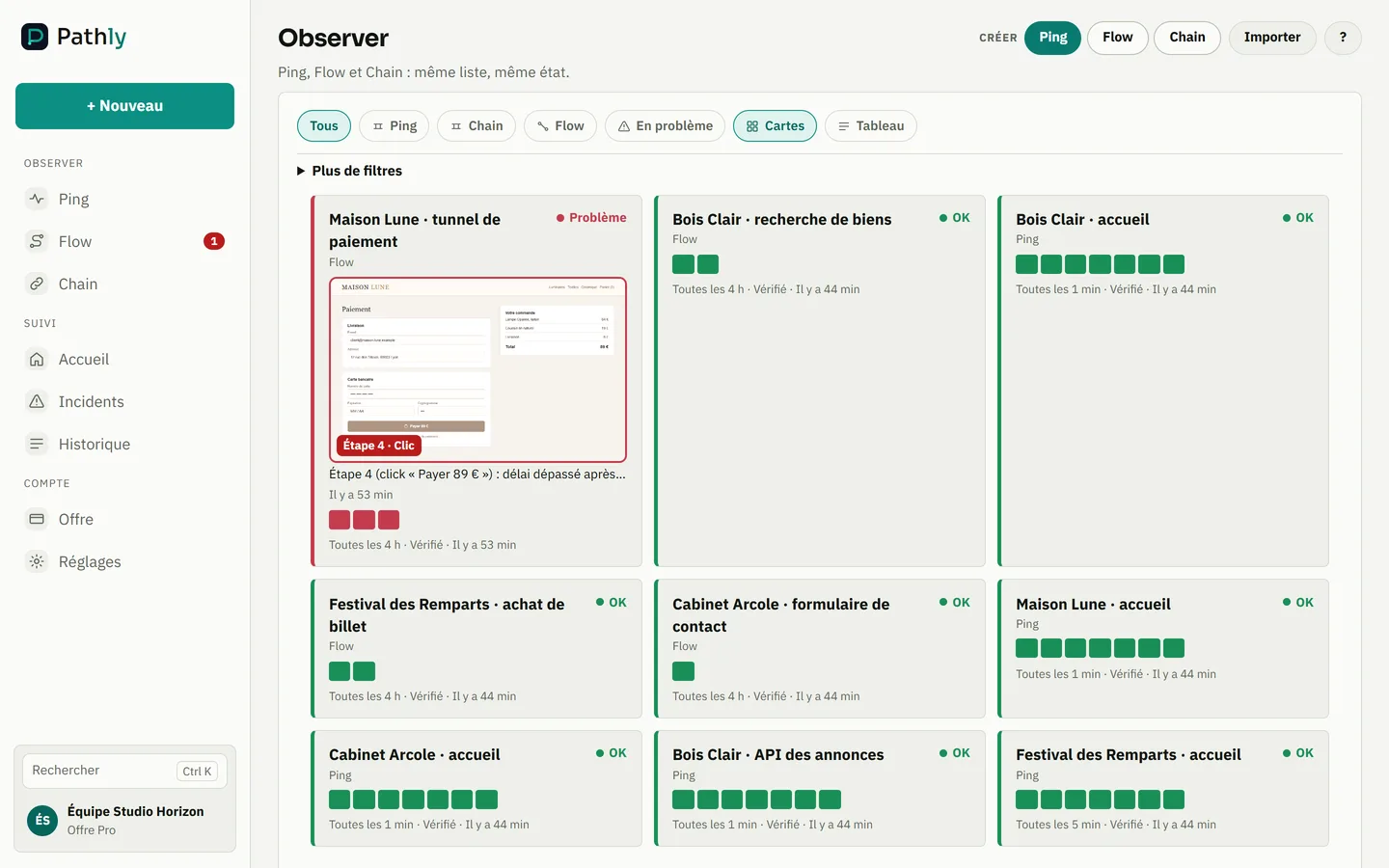
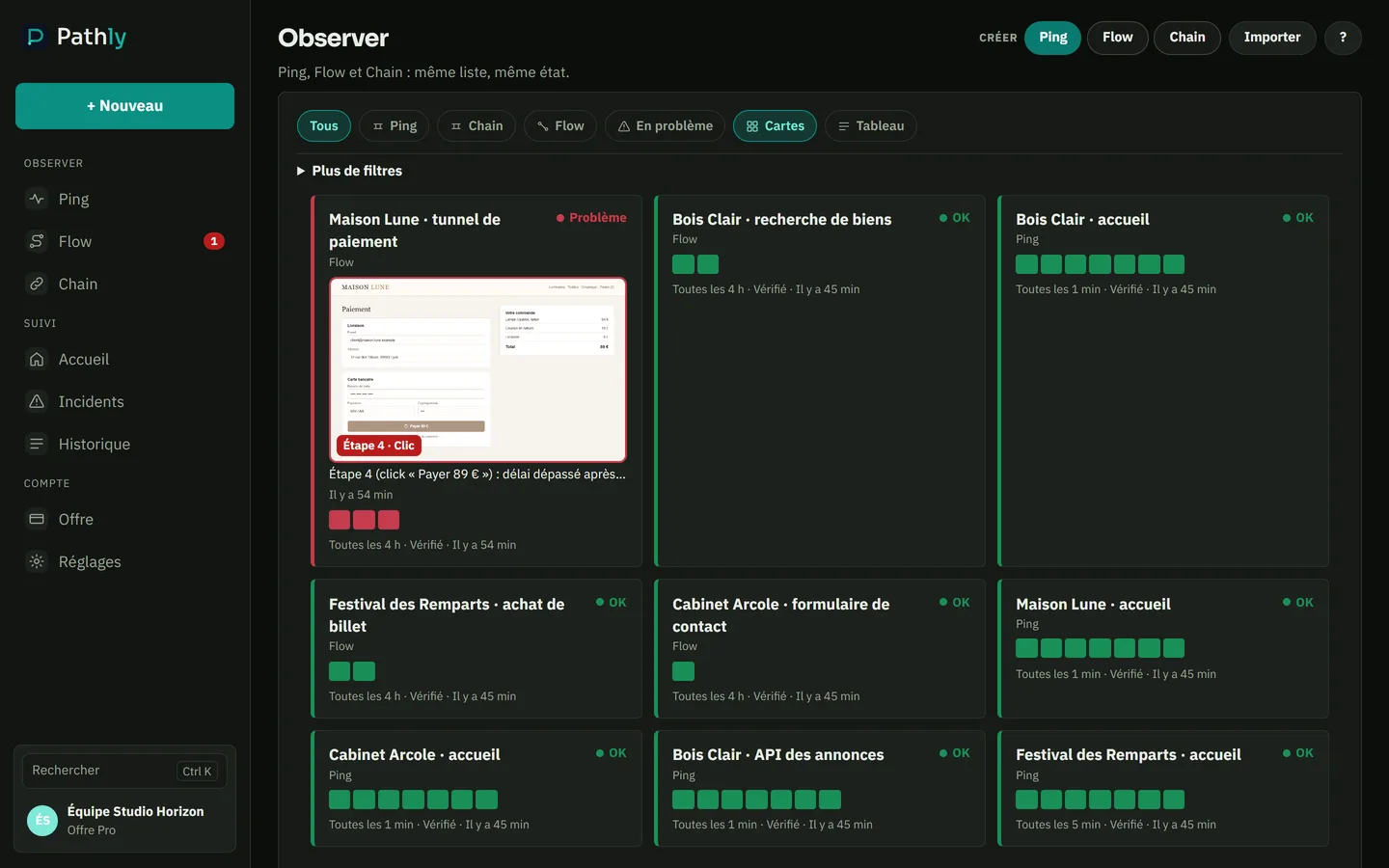
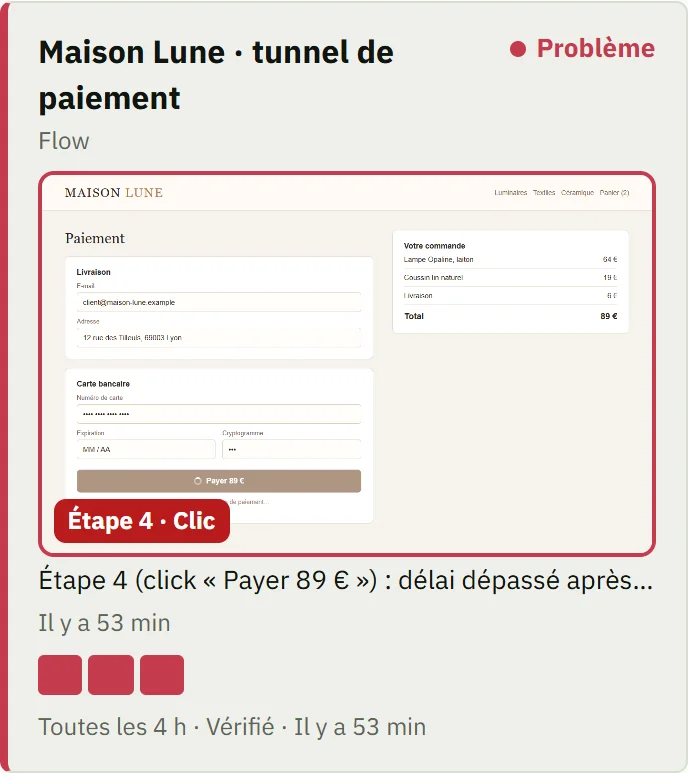
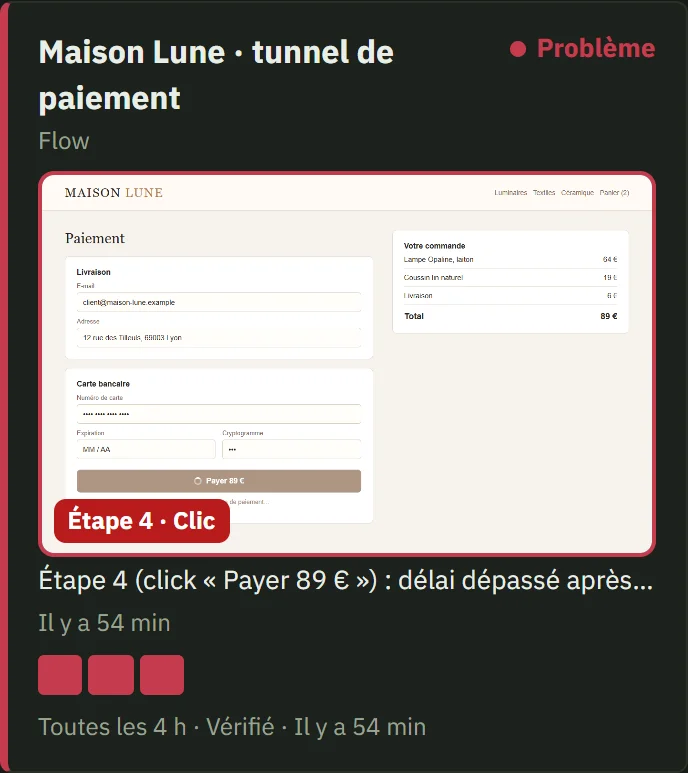
Pathly: an agency’s client sites, one journey failingPathly: an agency’s client sites, one journey failing
  1. A client’s checkout is red, with its screenshot.
  2. The homepage Ping stays green: the server responds.
  3. A filter to see only the problems.

Screenshot of the Pathly app, with demo data.

What your tool already does

Updates, backups, security alerts, uptime, client report: that is the core of a WordPress maintenance plan. These tools do it well. Keep them.

The site responds, the quote form is broken

A plugin update breaks form submission. The page loads, monitoring stays green, and the client finds out from a lost lead. Flow fills in and submits the form in a real browser, as often as you set it. If it breaks, you get a screenshot of the step.

Alongside, not instead

Pathly checks from the outside: no plugin to install, and any public site, WordPress or not. The monthly PDF report shows the client what was checked and what broke.

Monthly report

Show your clients the work done every month

One PDF report a month, ready to attach to the maintenance invoice. It is built from the checks already in place, with nothing to type.
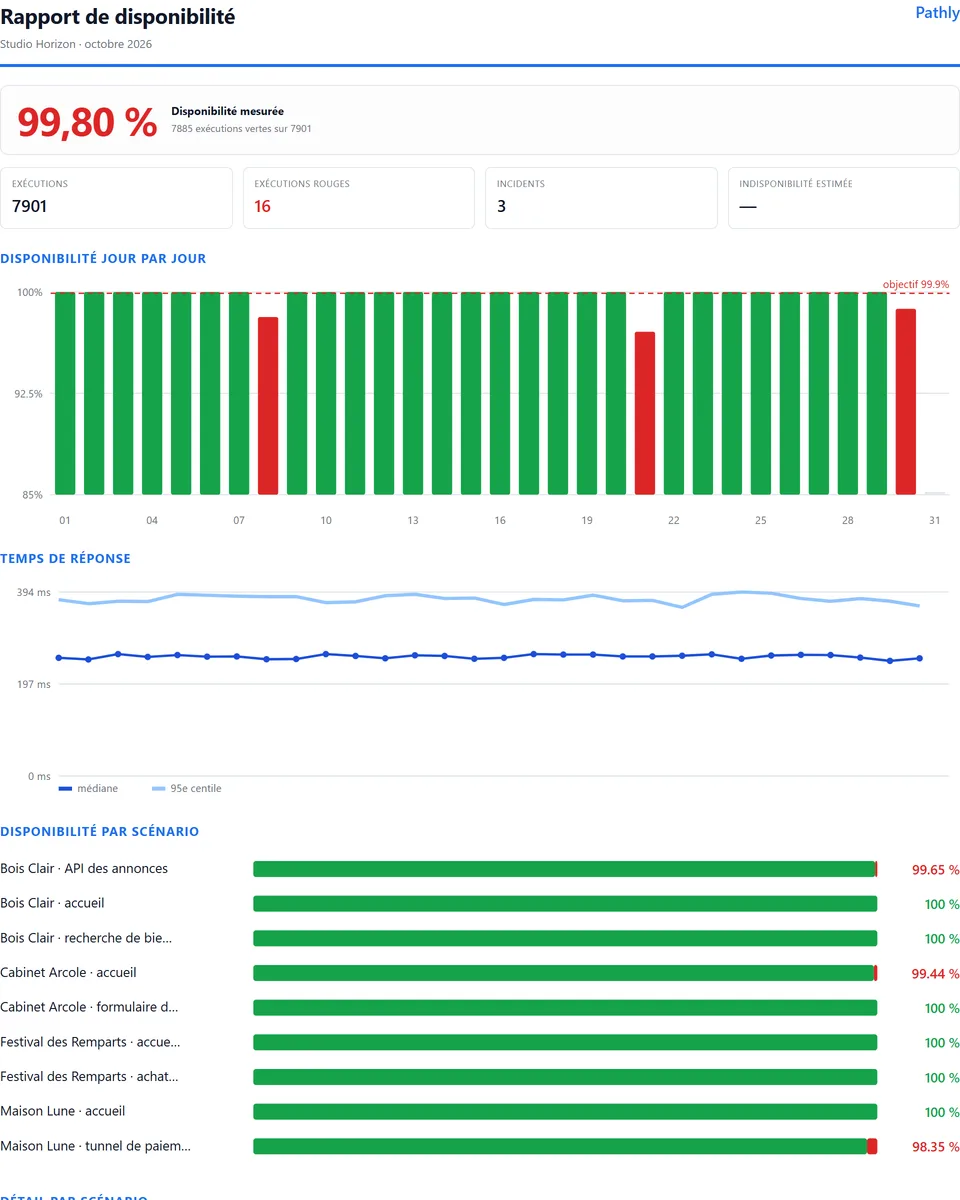
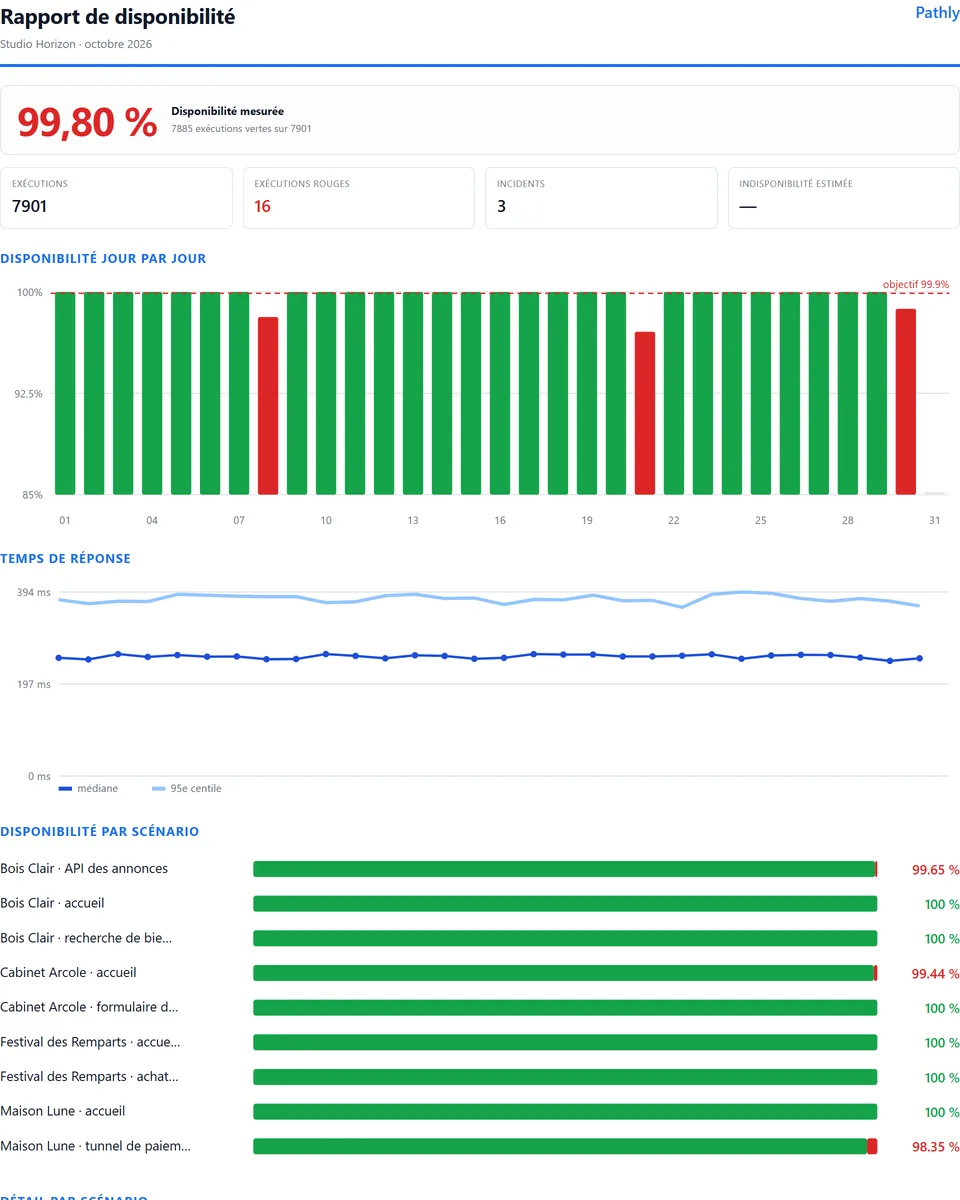
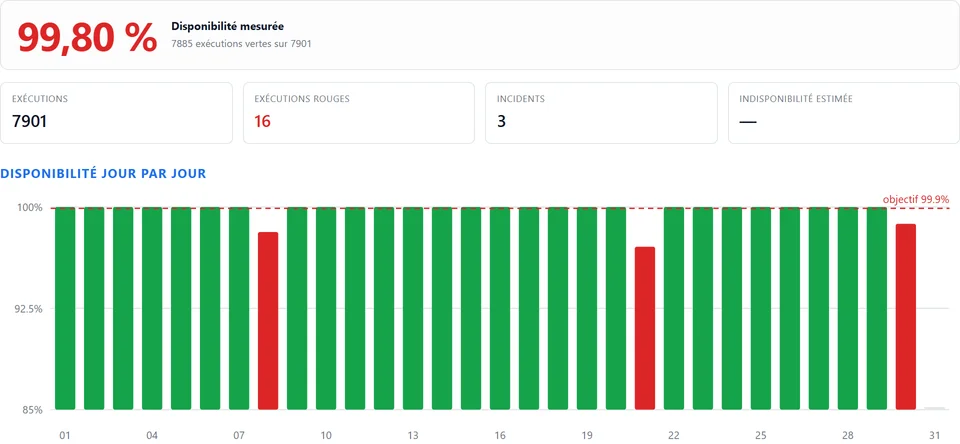
Monthly availability report of a demo agencyMonthly availability report of a demo agency
  1. The measured availability of the month.
  2. Runs, failures and incidents of the month.
  3. Availability day by day, against the target.

Screenshot of the Pathly app, with demo data.

What it contains

  • the measured availability of the month and the number of runs
  • availability day by day, against the target
  • response times and the availability of each site
  • the month’s incidents and how they were measured

Included in every plan, with Pathly branding. On Business, it carries your agency’s brand. Pro remains the plan we recommend for agencies.

See a sample report (PDF)

The demo · 90 seconds

The Ping is green. The Flow is red.

Real Pathly screens, on a demo agency. The site answers, but checkout is broken. Here is what Pathly shows you, and the alert you receive.

WP Umbrella, ManageWP, MainWP

Keep your maintenance tool. Add the journey.

Your maintenance tool runs updates and backups, and checks that the site responds. Pathly does not replace it. It checks something else: can a visitor get through the cart, the form or the login?

01

What your tool keeps doing

Updates, backups, WordPress security and the maintenance report. The way you work does not change.

02

What Pathly adds

A Flow replays the journey in real Chrome. If a step breaks, you get its screenshot before the client calls you.

03

Nothing to install on the client’s site

Pathly checks the site from the outside, like a visitor. No plugin to add, whatever the CMS.

Try Flow on a client site

Common questions

Does Pathly replace WP Umbrella or ManageWP?
No. Pathly does not run updates or backups. It adds what these tools do not advertise: a journey replayed in a browser, with a screenshot of the step that breaks.
Do I need to install a plugin on the client's site?
No. Pathly visits the site like a regular visitor, from Europe. Nothing to install, nothing to update.
Can the client report carry my brand?
The monthly PDF report is available on every plan, with Pathly branding. It switches to the agency's brand on the Business plan.

Before you pay: your questions

What if Pathly doesn’t suit my clients?
Cancel within 14 days of your first plan payment: the plan and the add-ons paid during those 14 days are refunded in full, automatically. Once per organisation. And before you pay, Solo is free, with no card and no time limit.
Am I tied in?
No. You pay monthly or yearly, with no minimum term. You cancel in one click, from the Plan tab in the app.
Where are my data and my clients’ data?
In the European Union. The app, the API, the runs and the screenshots are hosted on Google Cloud in Belgium (europe-west1). The list of subprocessors is in the DPA.
Who invoices me?
Elerine, the company based in Spain that runs Pathly. You pay online with Mollie. Prices exclude VAT, and VAT depends on your country and status.
How many client sites can I monitor?
A site needs at least one Ping. Freelance includes 25, Pro 50 and Business 200. For journeys, Freelance has 1 Flow. Pro and Business have no limit on the number of Flows, within 800 or 2,400 runs per month.
How long does it take to get started?
Paste a site’s address to create its first Ping. Lumi recognises WooCommerce, Shopify, PrestaShop, Magento, WordPress, Joomla and Drupal and prepares a Flow in under two minutes. Coming from UptimeRobot? Your monitors import in one click.

Check before you pay

Everything can be seen without an account or a card.

Audit a client site

Free, no account, in 30 seconds: certificate, links and response time.

Audit a site